Pass your finance exam. Keep your calculator.
BAII Fincal mirrors the physical BA II Plus layout you'll use in the exam room — TVM, NPV & IRR, bond pricing, loan amortization, depreciation and break-even — then adds step-by-step tutorials so you learn the keystrokes instead of memorizing formulas.
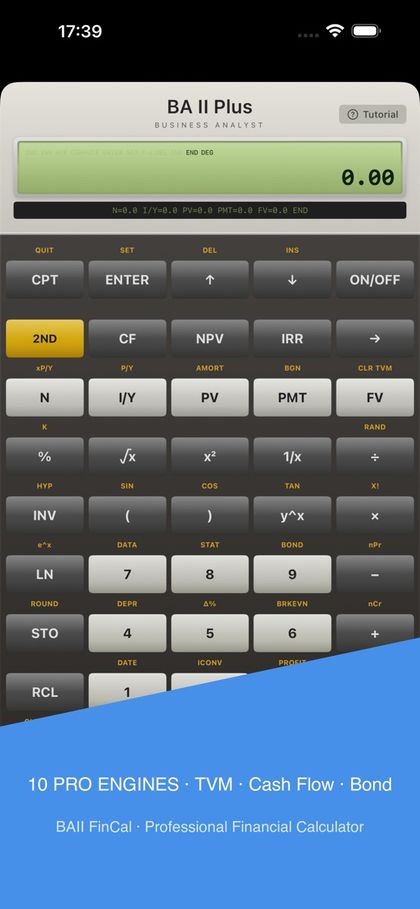
Meet BAII Fincal in sixty seconds.
A quick tour of the simulator, the worksheets and the built-in step-by-step tutorials.
Everything your exam asks for — nothing it doesn't.
From a first pass at TVM to a rushed bond question with ninety seconds on the clock.
- TVM — Time Value of MoneyCompound interest, annuities, amortization and retirement planning, exactly like the BA II Plus.
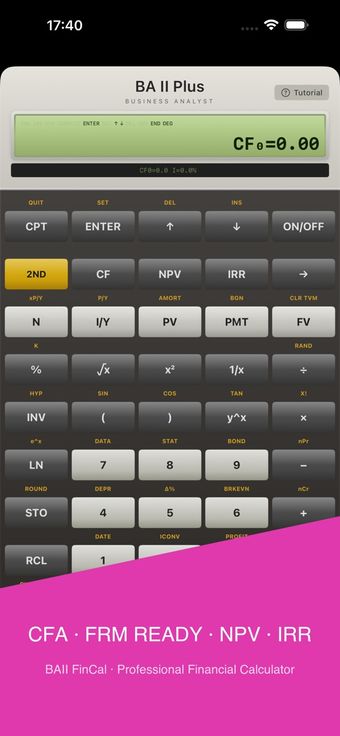
- NPV & IRR — Cash flow analysisEnter uneven cash flows, compute net present value and internal rate of return in seconds.
- Bond, depreciation & break-evenBond price and yield-to-maturity, straight-line and accelerated depreciation schedules, break-even quantities.
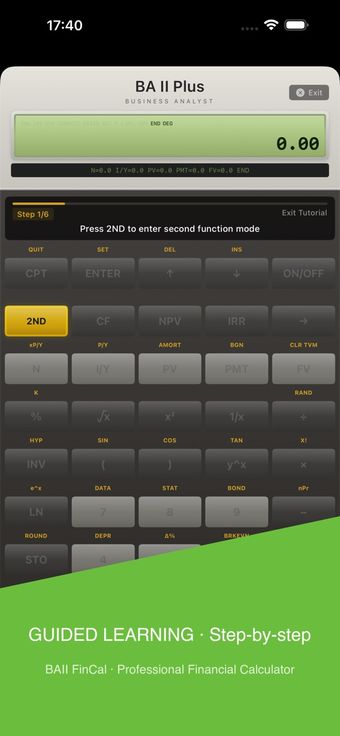
- Built-in step-by-step tutorialsLearn the exact keystrokes for every function, with worked examples you can follow along.
- Faithful BA II Plus layoutButton placement mirrors the physical calculator, so exam-day muscle memory transfers straight over.
- Two skins, six languagesClassic or modern skin, with English, Simplified Chinese, Japanese, Korean, German and French.
Learn the keys, not just the answers.
Mirror the exam-room tool
The simulator reproduces the layout and keystroke flow of the BA II Plus — the calculator allowed in CFA, FRM, CPA and actuarial exams. Practice on the same interface you'll be scored with.
CFA · FRM · CPA · ActuarialTutorials embedded, not bolted on
Every function includes a worked example with annotated keystrokes. When a question stalls you, the tutorial is one tap away.
Learn by doingNative on iOS and macOS
Fast, offline, and identical on phone and desktop. No account, no telemetry — your practice sessions stay yours.
Privacy firstAt a glance
- Category
- Finance & exam prep
- Platforms
- iOS, macOS · Web
- Languages
- EN, 简体中文, 日本語, 한국어, Deutsch, Français
- Key functions
- TVM · NPV · IRR · BOND · AMORT · Depreciation · Break-even
- Audience
- CFA, FRM, CPA, actuarial candidates
- Extras
- Dual skins · Built-in tutorials
Common questions
It's a simulator of the BA II Plus: the same key functions and the same keystroke flow, rendered natively on your device. It is not affiliated with Texas Instruments.
Candidates preparing for CFA, FRM, CPA and actuarial exams — anywhere the BA II Plus (or its approved equivalents) is the allowed calculator.
Yes. The calculator and all tutorials run entirely on-device, so you can practice on a plane, in a library, or anywhere else.
No. There is no account, no tracking, and no analytics. Everything you do stays on your device. See our privacy policy for details.
Free to download. There are no ads and no subscriptions; advanced content is a single purchase that unlocks everything, forever.
Master the BA II Plus keystrokes, step by step.
Twelve complete tutorials built around the calculator routines the CFA exam uses most — read along, then practice every sequence in the simulator.
TI BA II Plus basics for the CFA exam
Decimal and AOS setup, P/Y, memory functions, ICONV interest conversion, the TVM keys, BGN mode, mortgages, AMORT and Jim Maher's Method A shortcut.
TVM · ICONV · AMORTTI BA II Plus advanced functions for the CFA exam
NPV and IRR quick sequences, statistics and covariance, the DEPR worksheet, finance leases, semi-annual bond pricing and the Bond worksheet.
NPV · IRR · BONDHow to calculate bond YTM on a BA II Plus
Yield to maturity step by step: the TVM method, the zero-coupon method and the Bond worksheet, with a $1,000-par corporate bond example and error traps.
YTM · BONDBA II Plus amortization: split every payment into principal and interest
Build an amortization schedule with the AMORT worksheet: P1/P2 ranges, BAL, PRN and INT, plus mortgage and car-loan examples.
AMORT · BALBA II Plus date worksheet: days between dates, maturity dates and more
Count days between dates, derive future maturity dates from day counts, and switch ACT/360 and US/EUR date formats with the DATE worksheet.
DATE · DBDBA II Plus depreciation: straight-line, declining balance and SYD
Depreciate any asset with the DEPR worksheet: SL, SYD, DB and DBX methods, partial first years, and DEP/RBV/RDV for every year.
DEPR · SYD · DBBA II Plus linear regression: build a forecast with STAT mode
Enter X/Y pairs, read slope, intercept and correlation, then forecast with Y' and X' — with two worked regression examples.
STAT · LIN · REGRESSIONBA II Plus reset guide and every error code explained (Error 1-7)
Full and memory resets, CLR WORK and CLR TVM, plus a cheat sheet for every error code 1 through 7 with the keystrokes to recover.
RESET · ERRORHow to calculate standard deviation on a BA II Plus
Enter data in the DATA worksheet and read Sx or σx in STAT mode, with sample vs population guidance and two worked examples you can verify by hand.
STAT · Sx · σxHow to calculate bond price on a BA II Plus
Price premium and discount bonds with the TVM keys: set P/Y and C/Y, enter N, I/Y, PMT and FV, then compute PV with worked examples.
BOND · PV · TVMHow to calculate future value and present value on a BA II Plus
Move lump sums through time with the TVM keys: annual and monthly compounding examples, plus the sign-convention traps that cost marks.
TVM · FV · PVHow to calculate Macaulay and modified duration on a BA II Plus
Read Macaulay duration straight from the BOND worksheet, then convert to modified duration — with two worked bonds and date-format traps.
BOND · DURWalk into the exam room prepared.
Download it, run the first tutorial, and feel the difference on the next practice set.