
 FoldPress for macOS
Markdown in. Deliverable out.
FoldPress turns any Markdown or HTML file on your Mac into a clean reading surface — and into something you can actually send. Preview it the way readers will see it, then export a print-ready PDF, a single long PNG or a self-contained HTML file, without leaving the keyboard.
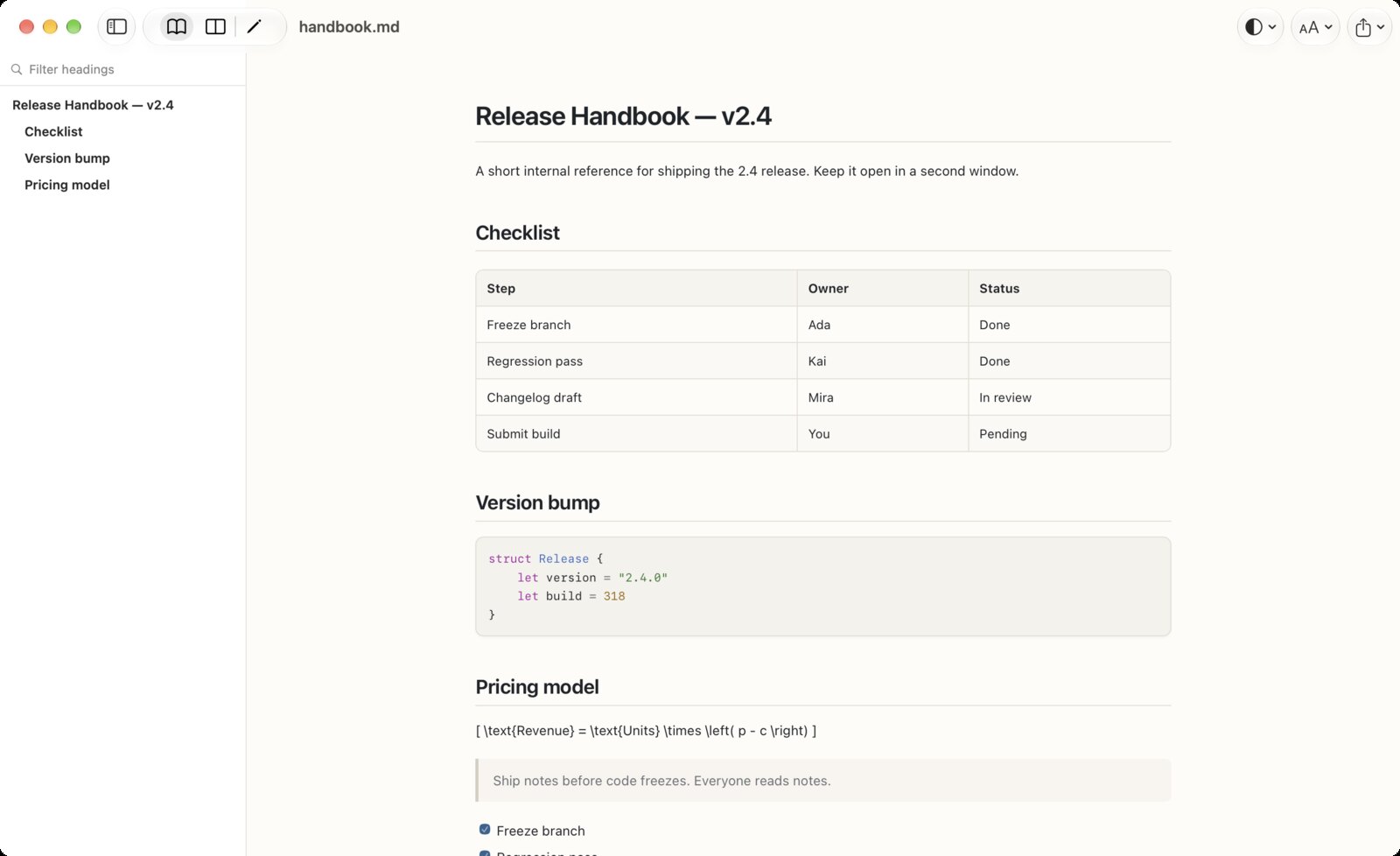
Twenty-eight seconds, file to deliverable.
Opened from Finder, proofed in Split, then exported as PDF, long PNG and self-contained HTML. One take, no cuts, nothing leaves the Mac.
Three jobs, one window.
Read it, check it, then hand it over. FoldPress keeps the three steps in the same place so a document never has to survive a round trip through a browser tab.
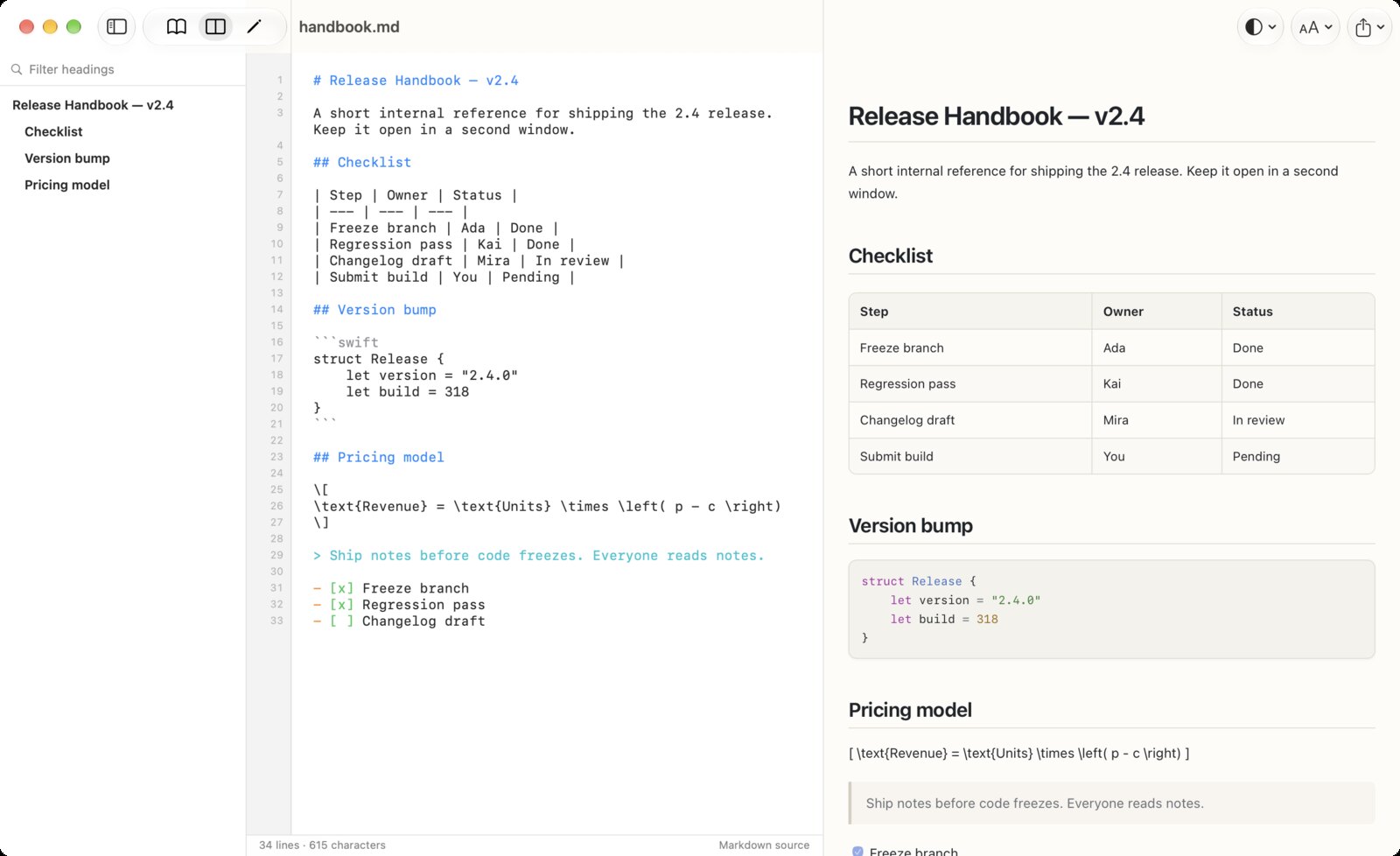
See what the reader sees
Reading, Split and Editing layouts cover the whole range: a calm page for proofing, source and preview side by side for checking, and a real editor with line numbers for the last small fix.
- .md, .markdown, .mdx, .html and .htm, opened by double-click or from disk
- Outline sidebar with live filtering, so a 4,000-line spec is one jump away
- GFM tables, task lists, footnotes, KaTeX math, Mermaid diagrams and highlighted code
- Live reload: when the file changes on disk, the view follows
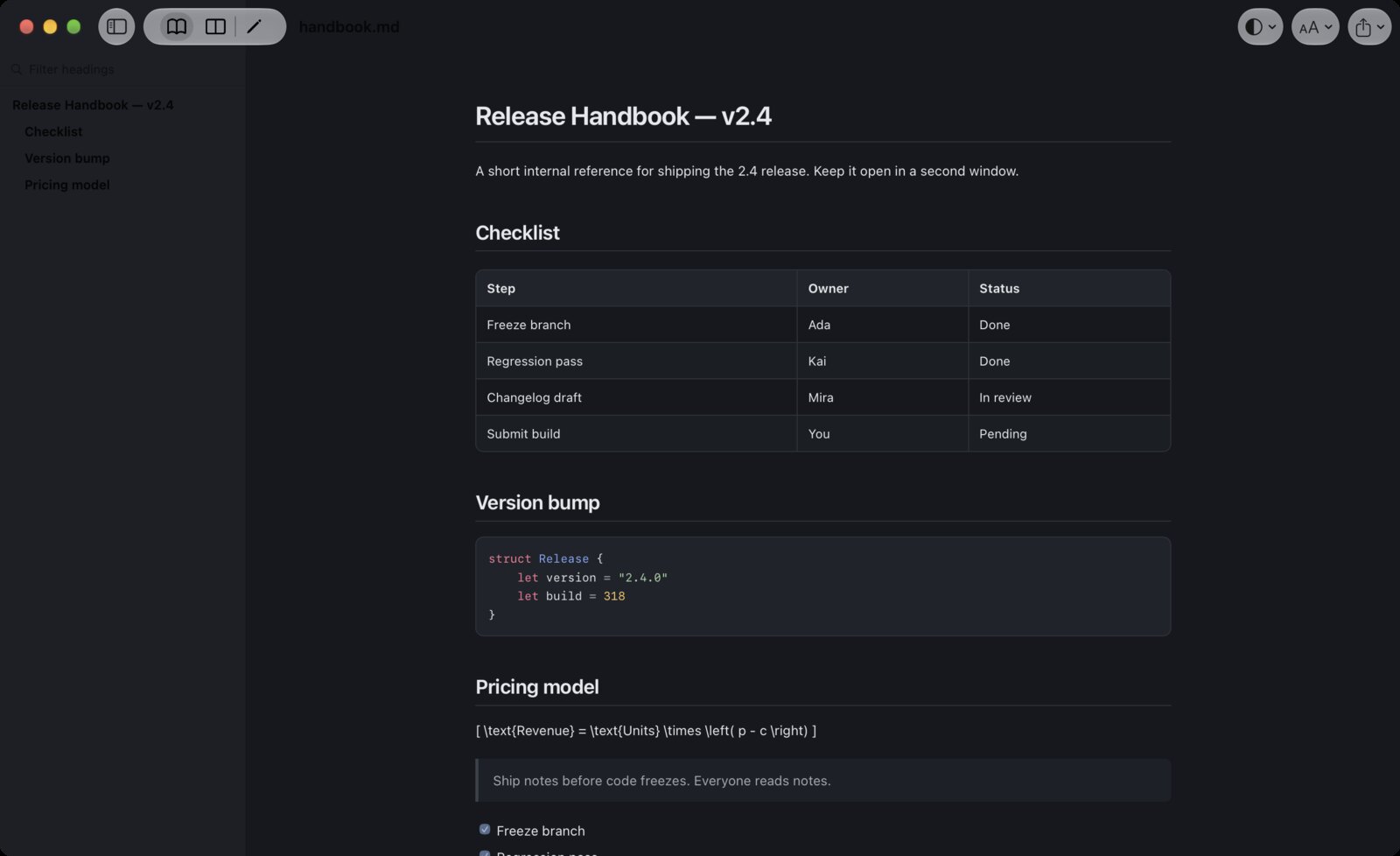
Four themes, tuned for reading
System, Paper, Ink and Sepia, each with its own contrast and warmth. Type size and line width are yours to set, so long documents stay readable at 1am instead of merely present.
- Follows the system appearance, or stays where you put it
- Measure control for a comfortable 60–75 characters per line
- Every font, stylesheet and library ships inside the app — nothing loads from the network
Three exports that survive the trip
The document you reviewed is the document you send. PDF for print and attachments, a single long PNG for chat and review threads, and a fully inlined HTML file that opens anywhere, online or not.
- PDF — print quality, paginated, ready to attach
- Long PNG — the entire document as one image
- Self-contained HTML — styles, fonts and images inlined, no dependencies
A reader should not be a browser.
Everything stays on the Mac
No upload, no account, no analytics, no tracking. FoldPress reads the file you picked and nothing else. Documents that are not allowed to leave the building are exactly the ones it was built for.
Local by designHTML renders in a sandbox
Scripts are blocked by default, forms and page navigation are neutralised, and the preview runs in an isolated content world. You can open a stranger's HTML file without opening your Mac to it.
Sandboxed previewOne price, no subscription
A single purchase, no account to create and no renewal to remember. Small software should be owned, not rented, and it should still work the same way in five years.
Buy once- Platform
- macOS
- Reads
- Markdown · MDX · HTML
- Exports
- PDF · PNG · HTML
- Languages
- 12 interface languages
- Pricing
- One-time purchase
Common questions
Markdown in .md, .markdown and .mdx, plus .html and .htm. Files can be opened by double-clicking them in Finder, from the Open panel, or from the recent files list.
No. HTML renders inside a sandbox with scripts disabled, forms inert and navigation neutralised. Inline styles and local resources still show, so the layout you are checking is the layout you get.
Three formats: a paginated PDF at print quality, one long PNG containing the whole document, and a self-contained HTML file with every stylesheet, font and image inlined so it opens offline on any machine.
No. Rendering, math, diagrams and code highlighting all ship inside the app. FoldPress works on a plane, on a locked-down network, or with Wi-Fi switched off.
No. FoldPress is a one-time purchase on the Mac App Store. No account, no subscription, no recurring charge.
FoldPress is in its first release and heading to the Mac App Store. If you would like a note when it lands, write to the maker from the support page.
Read it once. Send it once.
A quiet Markdown and HTML reader for macOS, with the exports you actually need. Coming to the Mac App Store.